What TereaTV is—and what to check first
TereaTV is a subscription-based television service delivered through an internet connection and a compatible player. The service website describes live television and on-demand viewing, but the useful first question is not how large a catalogue looks on a sales page. It is whether the particular channels, devices, connection count and support process fit your household. This guide focuses on those decisions. For a basic introduction to IPTV itself, read the existing What Is TereaTV? article. This page is the practical next step for a person considering an account.
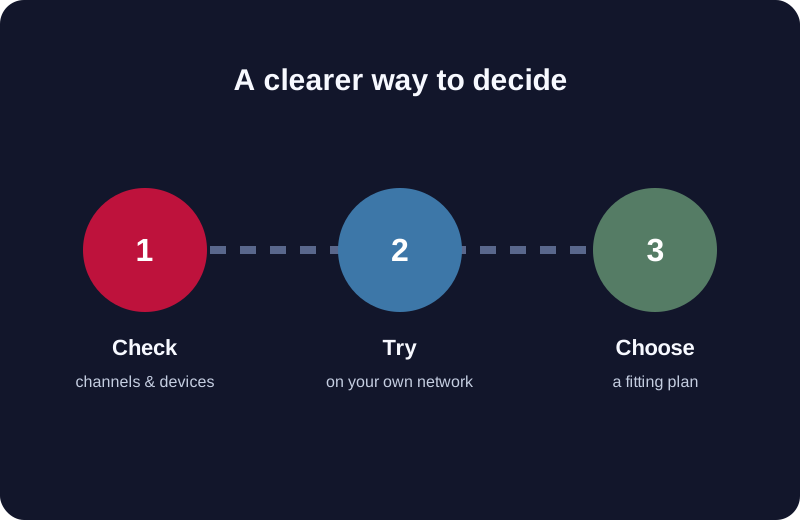
Start by listing the channels or categories that matter to you, the televisions and mobile devices you actually use, and the number of people who may watch at the same time. A long channel list is not a substitute for that personal checklist. Browse the published channel list, and use a trial to verify the individual channels on your device and connection before you commit to a longer term. Channel availability and picture quality can change; check the current lineup at the point of purchase rather than relying on an old screenshot or a third-party list.
Also decide where you expect to use the service. A television connected by Ethernet may behave differently from a phone on mobile data or a streaming stick on a crowded Wi-Fi network. If your main reason for considering TereaTV is a particular live event, do not wait until that event to learn how to install a player or contact support. Set up your own test in advance, observe playback at the times you normally watch, and make the buying decision from that evidence.
TereaTV plans: duration and simultaneous connections
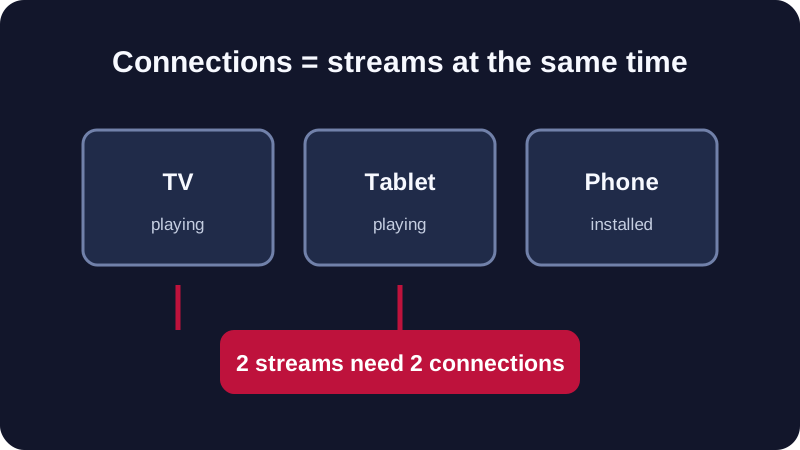
A subscription term answers how long the account remains active; a connection allowance answers how many streams may run at once. These are separate decisions. Installing the same account on two devices does not necessarily mean both can play simultaneously under a one-connection plan. If one person watches in the living room while another watches on a tablet, compare a plan with at least two simultaneous connections. If everyone simply moves between devices and only one stream runs at a time, buying extra capacity may not help.
The current TereaTV pricing page lists the available terms, connection counts and totals. Treat that page as the source of truth for the final price. An equivalent monthly figure for a longer term is only the term total divided by its number of months; it does not mean you can pay that annual plan in monthly installments. Check the total charged, the number of simultaneous streams, the renewal terms and the support route before making a payment.
| Your situation | What to verify | Useful next page |
|---|---|---|
| One person, one stream at a time | Single-connection plan and a term you are comfortable testing | Compare plans |
| Two people watching simultaneously | Two simultaneous connections, not merely two installed apps | Check connection options |
| A household with several screens | Peak simultaneous streams and the total term price | Compare multi-connection totals |
| Unsure about channels or playback | Trial conditions, device setup and your specific viewing checklist | Review the trial |
The right plan is the one that covers your actual simultaneous viewing. Do not assume the largest package offers the best value for you, and do not assume the least expensive plan covers multiple people watching at once. If a plan label or checkout total is unclear, ask TereaTV support before completing the order.
TereaTV channels: verify your own shortlist
The most persuasive channel count is not the largest number in a headline; it is the number of programmes you personally want and can actually find. Begin with a short list of must-have channels or categories. Put live news, family viewing, regional programmes and sports in separate groups. If an event is important, record the exact name and date rather than assuming that a broad category guarantees access to every broadcast. Use the TereaTV channel list as an initial reference, then verify current availability through the service before purchase. Lineups can change, and the presence of a channel name in an old article is not a promise that every programme will be available at every location or time.
For live sports, check the channel carrying the specific event in your region. A league may appear on different broadcasters in different countries, and rights or blackouts can affect what viewers can watch. Avoid a purchase based solely on a marketing phrase such as “all sports.” Ask support a precise question, such as whether a named channel is available for your location and chosen plan. During a trial, open the channel at a relevant time and check the picture, sound and guide data. If an event has not started, you can still test the channel, but you cannot claim to have tested that future event.
For movies and series, check whether you prefer a scheduled live channel or an on-demand catalogue. Search for several titles you care about; do not judge the experience from a single featured row. See how the player handles language, subtitles, series episodes and resume behaviour on your device. The same content may look different across player apps. If a feature is essential, verify it inside the player you intend to keep using and ask support whether it is provided by TereaTV or by the app itself.
For a multi-person household, let each person contribute a few priorities. One viewer may care about local news, another about children's programmes and a third about a particular sport. A service that works for one person may not cover the household. This simple exercise also helps you decide how many simultaneous connections you need. The resulting checklist is more useful than a generic “best IPTV” ranking because it reflects your own viewing habits.
Keep your notes current. A channel list is a snapshot, not a lifetime contract, and changes in programme rights or regional rules can affect schedules. When you compare your notes with the site's current list, note the date of each check and the country from which you are watching. If your shortlist includes channels for relatives in another country, ask them to verify their own access rather than assuming your result applies to them. This is especially useful when a household moves, travels or changes internet providers, because the viewing environment may change even though the account has not.
How to use the TereaTV free trial as a real decision tool
The service currently advertises a 24-hour trial. Check its current eligibility and activation terms on that page. A useful trial is a structured test of your own needs, not a quick glance at a menu. Prepare your device and internet connection before starting so most of the trial window is available for viewing. If you expect to watch on a Fire TV device, test there; if the main screen is a Samsung or LG television, test on that screen too. The website's installation guide lists the supported setup routes.
- Write down the channels and categories you would miss if they were absent. Use the published channel list to make a shortlist, then confirm them inside the trial.
- Test at the time of day you normally watch. A daytime test cannot establish how your home network behaves during your usual evening viewing.
- Try the programme guide and search tools in the player you plan to use. They affect everyday usability even when the video itself plays.
- Check how quickly you can get a clear answer from support when you have a genuine setup question. Keep the account details private while asking.
- Record what worked and what did not. If a particular channel or device fails, report the exact device, app, time and error to support before deciding the service is unsuitable.
Do not present a personal trial as a universal performance test. Results depend on the viewer's device, player, Wi-Fi or wired network, internet provider and the content being watched. A practical test can tell you whether the service works for your household; it cannot prove a guaranteed uptime or channel availability for everyone. This page does not claim to have independently tested TereaTV or competing services.
Ready to check it yourself? Read the current trial terms, prepare one device, and make a shortlist of the channels you care about before activation. See the TereaTV trial page.
TereaTV setup: choose a device and player first
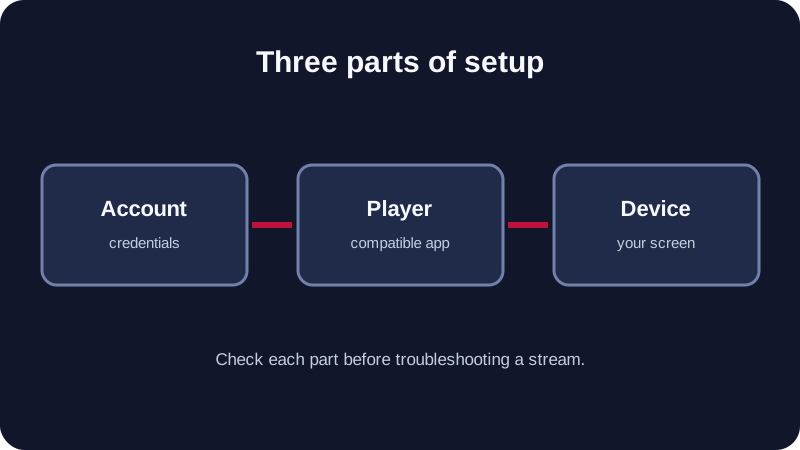
TereaTV's setup route depends on the device and the IPTV player used with the account credentials. A subscription supplies access to the service; the player is the software interface in which a viewer enters those credentials. That difference matters because a playback or interface problem may come from the device or player rather than the subscription itself. Follow the current installation instructions for your device instead of relying on an old code, an unrelated download page or instructions for a different operating system.
Fire TV and Android TV
These devices generally use a compatible IPTV player installed through a supported app route. Verify that the app version and login method match the credentials you receive. Enter the server address, username and password exactly as supplied, or paste the playlist URL if that is the documented method. Do not share those credentials in screenshots or public comments. If the list does not load, check for a typing error, a missing character or an inactive trial before changing network settings.
Samsung and LG smart televisions
Television app stores and supported player options differ by brand and model year. Confirm that the recommended player is available for your particular TV. If it is not, a supported external streaming device may be simpler than trying an unsupported installation method. Record your model and software version when asking support for instructions; “smart TV” alone rarely identifies the correct steps.
Phones, tablets and computers
Mobile or desktop playback can be useful for testing the account before you set up a living-room screen. Still, a successful test on a phone does not automatically establish that the TV app will behave the same way. Use each device's legitimate app source and follow the site guide for its platform. Keep app permissions and account details limited to what the setup actually requires.
For a broader beginner explanation of playlists, players and credentials, the site already has a general IPTV setup tutorial. This page keeps the focus on the TereaTV account journey and points to detailed instructions rather than repeating the entire device manual.
Activating a TereaTV account without losing track of details
After choosing a trial or plan, follow the activation instructions sent through the service's current process. Save the order reference, term, connection count and start date in a private place. Check that the credentials work before assuming the account is ready on every device. If the email does not arrive when expected, look in the usual mail folders, confirm the address used at signup and then contact support with the order reference. Avoid posting credentials, payment details or screenshots containing server URLs in public groups.
For a paid plan, compare the checkout description against the option you selected: duration, connection count and total. If it differs, stop and ask support to clarify it before paying. The service describes its plans on the pricing page; use that live page rather than a copied price table in an old article. For billing, follow the route linked from the TereaTV website. If multiple sites use a similar brand name, navigate from the site you intended to use and check the domain carefully before entering payment information.
Once activated, keep a simple record of which player is configured on each device. This reduces confusion later if a viewer changes phones, replaces a TV or asks why two screens cannot play simultaneously. When a problem occurs, note the time, device, player, network and exact symptom. Those details are more useful to support than a general message saying the service does not work.
TereaTV renewal and support: what to check before the term ends
A subscription choice continues after the first successful stream. Before renewal, check whether the current connection count still matches the household, whether the channels you depend on remain available, and whether you would prefer a shorter or longer term. Review the live plan and checkout terms rather than assuming the amount will be identical to a previous order. If you need to change connections, ask support how that affects the current account and any remaining time before making another purchase.
Keep the renewal date visible in your own calendar. If the account stops at the end of its term, confirm the term end date before treating it as a technical fault. If playback stops earlier, check the player login and network first, then contact TereaTV support with the relevant account reference. Never publish account credentials in a public post to obtain help.
Support questions are easiest to resolve when they are specific. State whether the issue affects every channel or only one, whether another device works, whether the problem appears on Wi-Fi and Ethernet, and what happened just before it began. For buffering, use the existing troubleshooting guide as a checklist. For installation, use the device guide. This makes the service page a map to the right help, without creating competing copies of those articles.
A TereaTV buying checklist you can actually use
Before deciding, put five facts on one page: your must-have channels, the device you will use most, the number of simultaneous streams, the longest term you are comfortable paying for, and any question support must answer. If one of those items is unknown, a longer or more expensive plan will not resolve the uncertainty. Work through the list before checkout, not after.
Scenario: one viewer replacing a simple TV package
A single viewer may only need one stream at a time, even if the account is used on both a living-room TV and a phone on different occasions. The most useful test is the person's regular channels, the player on the main TV and the stability of the home connection during normal viewing hours. Compare a short plan with the trial, then decide whether a longer term is justified. If you regularly switch devices, confirm how the service handles those changes, but do not confuse device switching with concurrent playback.
Scenario: a family sharing several screens
Make a rough timetable of when two or more people may watch simultaneously. A family with four devices installed might still need only two active streams, while a smaller household could need more if viewing overlaps. Test the app on the main screen and at least one secondary device. Confirm the connection allowance and final term total on the current plan page. If the account is for a household, keep credentials within that household and check the plan terms for permitted use.
Scenario: buying mainly for live sport
Start from the specific event and broadcaster, not a generic sports label. Verify the current channel and regional availability, set up the intended device before the event, and test the stream at a comparable time. Your trial may be too short to include the actual fixture, so distinguish a test of a channel from a test of the event itself. If sports rights are the deciding factor, ask support a targeted question and retain the answer for reference.
Scenario: trying the service while travelling
Travel changes the network and sometimes the device. A trial at home does not prove how a hotel network or mobile connection will behave. Confirm the service's current location and account rules with support, avoid promising yourself uninterrupted access in every location, and keep a supported player available on the device you plan to carry. If a trip is near the renewal date, clarify the timing before paying for another term.
These are decision examples, not guarantees about performance or eligibility. The final choice should follow the live plan terms, your own test and any specific clarification from TereaTV support. When you share this guide with someone else, encourage them to run their own checklist rather than treating your experience as universal.
TereaTV questions buyers ask before subscribing
What is TereaTV?
TereaTV is an internet-delivered TV subscription service. Its website provides plans, a trial, a channel list, setup instructions and customer support. The introductory article explains the service in more detail.
Where should I compare current TereaTV prices?
Use the live pricing page and verify the final checkout total. Prices copied into search results, social posts or older guides may no longer match the current offer.
How many devices can use one account?
The key distinction is between devices where an app is installed and streams playing simultaneously. Read the exact connection allowance for the plan you choose. Ask support if your viewing pattern or a shared household arrangement is not covered clearly.
Should I choose a long plan immediately?
Choose a term that fits your confidence in the service. If channels, player compatibility or playback on your home network are still uncertain, use the available trial and verify those points before taking on a longer commitment.
What should I do if a channel or app does not work?
Record the channel, device, player, approximate time and error. Check your connection and login details, then contact support. A precise report helps separate a local player problem from an account or content issue.
Is this an independent review?
No. This is a service guide for TereaTV readers. It explains the information available on the service website and gives buyers a way to test their own requirements. It does not present unverified performance tests, customer ratings or claims about competitors.
Your next step with TereaTV
If you are new to the service, start with the short introduction. If you already know what you need, compare the current plans, confirm the channels that matter to you, and review the trial terms. Prepare your device before starting any time-limited trial. When you are ready to activate a paid plan, check the total, duration and simultaneous connections at checkout. If anything is unclear, use TereaTV support before paying.